Geometry Builder Level Editor Arcade
Reviews
Geometry Builder Level Editor Arcade offers a unique combination of reflex-based navigation and creative level design. The simple one-click controls make it easy to start, while the built-in level editor provides endless possibilities for custom challenges. The vibrant geometric world and satisfying obstacle avoidance keep each session engaging. This game is perfect for players who enjoy both action and puzzle elements.
About this game
Game Introduction
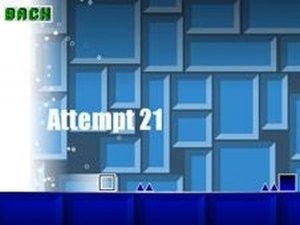
Geometry Builder Level Editor Arcade is an online game that combines fast-paced navigation with creative level design. Players control a small cube moving automatically through a colorful geometric world. The main goal is to avoid red spikes and sharp triangles that stop progress, while landing on helpful cubes to climb higher and advance. Each obstacle passed adds to the score. What makes this game unique is its built-in level editor, which allows players to place geometric shapes anywhere on the course. This feature enables the creation of custom levels, which can then be played to test completion. The blend of reflex-based action and creative building offers a fresh experience for those who enjoy puzzles and quick challenges.
How to Play
To play, players typically click or tap to make the cube jump. Timing is important to avoid red spikes and sharp triangles, which act as traps. Friendly cubes help the cube go up and forward safely. The more obstacles passed, the higher the score. In the level editor mode, players can drag and drop various geometric shapes onto the course to design their own path. After building a level, they can play it to see if they can complete it. The controls are simple to learn, but mastering timing and level design takes practice, offering replayability.
Game Features
The creative level editor lets players design custom courses. Simple one-click controls make it easy to start playing. Endless geometric challenges keep each session fresh. Levels can be saved and replayed to improve scores. The game may also include a variety of geometric shapes and obstacles to use in level creation.
Tips for Success
Practice timing jumps to navigate tricky courses. Start with simpler levels to build muscle memory before attempting complex designs. Use the level editor to create practice runs focusing on specific obstacles. Experiment with different geometric arrangements to discover efficient paths. Regular play helps improve reflexes and pattern recognition.